Today we’re going to tackle one of the most important outstanding problems in computer science: is this a picture of the Taco Bell Chihuahua or a picture of Mr. Bigglesworth? Well, maybe there are some other important problems as well, but this is the one we’ll tackle today.
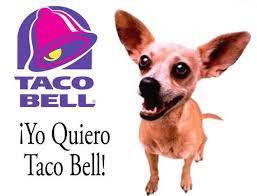
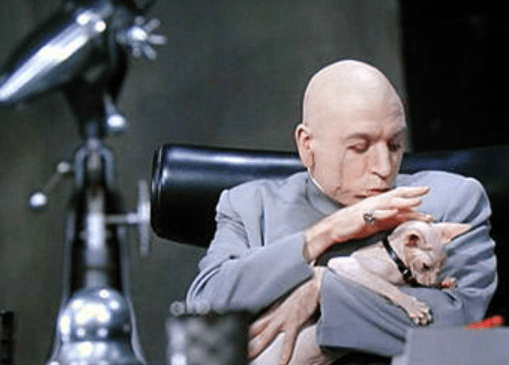
All jokes aside, I’m taking the Fastai course to learn AI, and the first lesson is about image classification. I wanted to think of a fun classification problem for my first AI model, and my creative husband suggested I create an AI that can tell the difference between pictures of the Taco Bell Chihuahua and Mr. Bigglesworth. This may date the two of us a bit with our 90s references, but it sounded a lot more fun than any of the example problems I could come up with.
In this blog post, I’ll recount the journey I went through to create this AI, and some of the things I learned along the way.
The most important discovery of mine during this process is that the Taco Bell chihuahua has a name! His name is Gidget. You’re welcome.
The most surprising discovery I made was that my first attempt at the AI correctly classified 100% of the images! It turns out training AI models takes way less data and way less computing resources than I expected. I was able to download just a few images from Bing and train the AI on my laptop. The other surprising thing is how little code is involved. It’s just one file. Check it out:
https://github.com/mattsgarlata/ai/blob/main/bigglesworth_or_gidget.ipynb
Another thing I was surprised by is how versatile the model is. For those of you who aren’t familiar with Mr. Bigglesworth, he’s Austin Powers’ cat. In addition to where he got his start in Austin Powers, Mr. Bigglesworth is a prominent character in the World of Warcraft game, which I also happen to be a big fan of. I was worried that images of Mr. Bigglesworth from the game would throw off the AI, but the AI handled them without a problem
Next up: how did I do it? Well of course the fastai course is going to teach you that much better than I could. In this blog post I’d instead like to cover some of the things that I learned that weren’t in the course or were difficult for me to understand at first.
I’m a software developer with 30 years of experience, so I can sling some code! I’ve learned lots of programming languages over the years, but somehow I had never been exposed to Python. I started with my usual technique of buying a huge O’Reilly book, but when it arrived at my door and weighed in at 1000 pages I reconsidered whether I wanted to spend that much time on Python. Fortunately fastai pointed me to Learn Python in Y minutes, which gave me a nice quick crash course. It turned out that was all I needed to create this AI.
The other key point I wanted to share is that most AI work in the course is done through Jupyter notebooks, which I had never been exposed to. They let you mix prose and images with code that you can execute right there in the browser. It’s really awesome, and I can’t believe I had never seen something like it before! If you haven’t seen them before, I highly recommend you try them out.
That said, as cool as Jupyter notebooks are, as soon as I sat down and started to write in one, I missed the tools in my usual IDE, IntelliJ IDEA. Fortunately there’s a plugin for IntelliJ that allows for the editing of Jupyter notebooks. It was a relief to gain access to my normal environment and the ability to do things like use refactoring tools to rename things.
If you’re curious, you can see the code on Github: https://github.com/mattsgarlata/ai/blob/main/bigglesworth_or_gidget.ipynb
 Matt Sgarlata's blog
Leave a comment